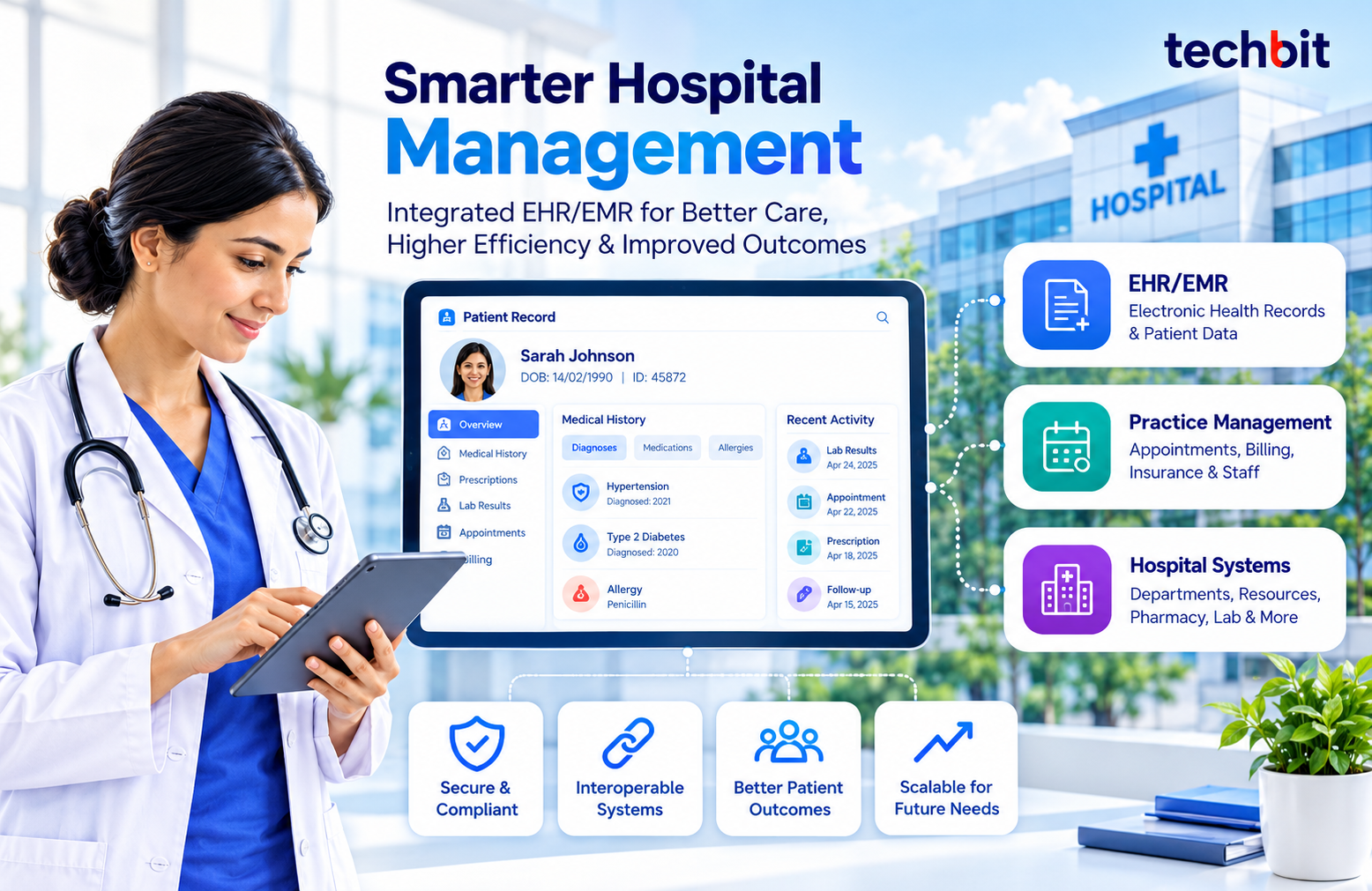
Patient records, appointments, billing, prescriptions, and the general operation of a hospital all depend on accurate data and well-structured workflows. Healthcare software helps manage these processes efficiently. EHR EMR software development is focused on electronic patient records while practice management software helps clinics manage their daily operations.
Hospital systems take care of the bigger operations from patient care to administrative tasks. They can operate independently or integrate with each other, depending on what the organization requires. Understand what each platform does, what functionality it needs, and how it sends data to other platforms. That’s a good foundation for designing healthcare software.
What Is Healthcare Software Development?
It means building digital systems for clinical care, patient information, and administration. A small clinic might need one. So might a diagnostic lab, a specialty practice, or a large hospital.
Most healthcare software can be divided into two categories:
Clinical software deals with clinical information such as patients’ medical history, diagnosis, prescriptions, and treatment.
Administrative software deals with management of appointment scheduling, billing, and staffing.
Some software can address both areas, while some systems are designed to be stand-alone and integrated together.
EHR vs. EMR: What Is the Difference?
Both store patient information digitally. The difference is mostly scope.
EMR software stores a practice’s patient diagnoses, treatment notes, prescriptions and medical history in a single practice or setting.
EHR software provides a broader record that is accessible to authorized providers and systems.
A clinic might use an EMR to document its consultations. An EHR goes further. It lets authorized providers see relevant information from other care settings too.
Essential Features of EHR/EMR Software
What you need depends on your specialty, your workflows, and the regulations you work under. These are the usual starting points.
- Patient Records and Medical History: Demographics, diagnoses, allergies, medications, and past consultations should sit in one place where staff can find them quickly.
- Clinical Documentation and Prescriptions: Doctors need a fast way to record consultations, write treatment notes, and manage prescriptions. Templates keep the notes consistent from one visit to the next.
- Lab Results and Integrations: Links to laboratory, pharmacy, and imaging systems mean less retyping. Results also show up where the clinician is already looking.
- Controls of Access and Audit Trails: Roles set permissions that prevent people from seeing records they shouldn’t see. Audit trails show who did what. This is useful for accountability and security audits.
What Is Practice Management Software?
It operates the administrative side of a clinic, or medical practice. EHR/EMR systems contain the clinical information. Practice management tools manage everything around them.
Common Features
- Appointment scheduling: Bookings, cancellations, and reminders.
- Billing and payments: Invoices, charges, and outstanding balances.
- Insurance administration: Claims and eligibility workflows, where relevant.
- Staff management: Schedules and administrative duties.
Connect it to your clinical system and staff stop entering the same details twice. Administrative records also stay in step with what’s happening to the patient.
How Hospital Management Systems Work
A hospital has many departments, limited resources, and patients moving between them. Hospital management systems coordinate all that through connected modules.
Depending on the setup, a system may cover:
- Patient registration, admission, and discharge
- Bed allocation and resource planning
- Pharmacy and inventory management
- Laboratory and radiology coordination
- Billing and operational reporting
Few hospitals need every module on day one. Choose based on size, departments, the software already in place, and how work actually gets done.
Custom Healthcare Software vs. Ready-Made Solutions
A ready-made platform has features you configure to your workflows. From day one, a custom system is built for your unique needs.
| Ready-Made Software | Custom Software |
| Uses existing features and workflows | Can be designed around specific requirements |
| May support faster initial deployment | Requires detailed planning and development |
| Customization depends on the vendor | Features can be prioritized for the organization |
| Integrations depend on available options | Integrations can be planned around existing systems |
Custom healthcare software development is a reasonable choice when off-the-shelf platforms can’t support an essential workflow or required integration. But there is a price to pay. Custom systems need continuous testing, maintenance and technical support.
Key Considerations When Developing Healthcare Software
- Data Privacy and Security: Medical and personal data is sensitive. Plan security from the start. That means authentication, access permissions, encryption, audit logging, and secure data transfer. Check which rules apply to you, too. HIPAA covers relevant US healthcare contexts, and GDPR applies where it’s in scope.
- Interoperability and Integrations: Healthcare software rarely works alone. It typically must integrate data with existing EHRs, labs, pharmacies, billing platforms, and imaging solutions. HL7 and FHIR can support those connections, depending on the use case.
- Usability and Scalability: Doctors and administrative staff need screens that match what they actually do. Extra complexity just slows them down. Test with the people who’ll use the system, and you’ll find workflow problems before launch.
The system should also cope with changing requirements, more users, and later integrations where they’re needed.
The Healthcare Software Development Process
A structured process surfaces requirements early. It also cuts down on problems at implementation.
- Requirements analysis: Determine the users of a system, their activities, and the functions of the system, its technical capabilities, and limitations.
- Planning and design: Develop a plan and layout of the system’s interface for clinicians and administrators.
- Development and integration: Create system components and ensure the connection of the system with related software.
- Testing: Test individual functions and the system as a whole, both technical and clinical, including security, performance, data accuracy, and connections.
- Deployment and maintenance: Install the system and provide technical support, as well as introduce changes and improve the system.
Test with realistic workflows. Include incomplete records, failed integrations, and access restrictions. Those are the cases that break things in real use.
Choosing the Right Healthcare Software Development Partner
Looking at EHR software development services? Don’t stop at the feature list. Ask about the provider’s experience with healthcare workflows, their integration work, their security practices, how they test, and what support they offer after launch.
A good partner should also be up front about scope, timeline, who takes care of maintenance, and where the proposed solution falls short. If you need custom EHR EMR development services, be sure to have requirements written down before the start of development.
Techbit Solutions offers custom healthcare software development, including custom EHR EMR development services. Compare any proposed implementation with your existing systems, your workflows, and your technical requirements before you decide.
An experienced EHR/EMR software development company should clearly explain integration options, potential project risks, and ongoing support. The goal is to build custom healthcare software solutions that address real operational challenges and meet the needs of healthcare providers. Every feature should serve a clear purpose and support daily workflows.
Frequently Asked Questions
1. What is the difference between EHR and EMR?
EMR software generally keeps clinical records within one practice or setting. EHR software provides a larger set of medical records that are shareable among authorized professionals in various health-care environments.
2. What are the functions of EHR software?
The basic functions of an EHR system are: patient information, clinical commentaries, treatment information, prescriptions, laboratory results, issuing access rights, and audit logs. The specifics depend on the skills of the provider, work processes, available types of systems, and required regulations.
3. How can practice management systems be useful for medical institutions?
These systems help clinics manage appointments, bills, insurance workflows, staff, and payment processing. Clinical systems can be integrated with practice management software to remove the duplication of data entry as well as provide streamlined administration and care management.
4. When is the right time to go for custom software development?
The right time is when ready-made software cannot meet your business needs, support essential workflows, or integrate with existing systems. Before choosing custom software development, consider the initial development costs, ongoing maintenance, and long-term benefits.
5. How long does healthcare software development take?
Depends on the project scope, feature complexity, integrations, testing needs, regulatory considerations, etc. A basic system may take less time than a multi-module hospital platform, so base estimates on a detailed requirements assessment.